About
A folder should look like what's inside it.
Hi, I'm Nepô. I'm an information architect: since 2012 my work has been turning complexity into clarity, and icons are one of the oldest tools for that — a picture that tells you what something is before you read a word. I've loved them for as long as I can remember, and I studied iconography along the way. IconPop began when I set out to learn Xcode, with Claude Code alongside me; I'd always wanted to make an app, and an icon app was the obvious first one. It's the first app I've ever shipped, so please be kind while I learn. Below: why folder icons are worth the trouble, where icons came from, and what IconPop does.
Why icons matter
You do not read an icon. You see it. Shape and colour reach you a beat before words do, which is why you can pick the red book off a shelf without scanning a single spine, and why a row of twelve identical blue folders makes you read twelve names. Give a folder a face and it is found before you have finished looking.
A desktop works like a small vocabulary. Five or six folders with distinct icons become words you know without thinking: the green one is school, the one with the camera is photos. Past about ten, the vocabulary stops being memorable and you are back to reading labels. The trick is not more icons; it is a few good ones, in one consistent style, so the set reads as a system rather than a sticker bomb.
And there is the part nobody puts in a feature list. The wallpaper, the Dock and the apps on a Mac are already yours. The folders are the last identical thing on the machine, and they are the thing you look at most. Choosing their icons is the difference between a computer you use and a computer that is yours.
A tiny history of Mac icons & apps
-
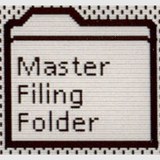 1981
1981The Xerox Star ships the first desktop with icons: documents, folders, a printer, an in-tray, designed by David Canfield Smith and drawn by Norm Cox. The idea that a picture can stand for a thing you can open is born here.
Source: Wikipedia · icon photo by J R, CC BY 2.0
-
 1984
1984Susan Kare draws the Macintosh icons in a 32-by-32 grid: the trash can, the wristwatch, the happy Mac. Most of what an icon still is, a friendly picture with a clear silhouette, was settled in those pixels.
Source: Wikipedia · icon by NiloGlock, CC BY-SA 4.0
-
 1991
1991System 7 lets anyone paste a picture into a file's Get Info window and make it the icon. Custom folder icons have been possible on the Mac ever since, through the same tiny well in the corner of the same panel.
Source: Wikipedia · Apple Support · icon from GUIdebook
-
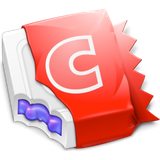 2002
2002CandyBar, from Panic and the Iconfactory, turns changing icons into a hobby. icon sets are traded like fonts. In 2012 the system changes underneath it and its authors say the ability is not coming back; a 2022 bug-fix release keeps it launching a little longer, still unsupported, until macOS 27 drops support for apps built on old code and it stops for good.
Source: Panic blog · Iconfactory blog
-

-
 2026
2026IconPop! is my way of picking the story back up. I fell for icons through CandyBar and David Lanham's illustrations, and I still use them every day. IconPop doesn't bring CandyBar's trick back; it does the half Apple still allows, the folders, and tries to make that half a joy. The star pin on the icon is a small homage.
Source: IconPop changelog · David Lanham
What IconPop is
IconPop is a Mac app for changing folder icons. You pick an icon, drag a folder onto it, and the folder takes that icon immediately, at every size macOS uses, from 16 pixels in a list to 1024 in the Finder preview. That is the whole gesture.
- Change a folder's icon on a Mac without opening Get Info: drop the folder on the icon you want.
- Colour-code folders with six built-in collections made from the real macOS folder, recoloured, so they still look like folders next to the ones you have not touched.
- Turn any image into a folder icon. PNG, JPEG, SVG, WEBP, HEIC, an app's icon, or a folder that already has one.
- Compose an icon from more than 6,000 Hugeicons symbols, on a folder, a shape, or on its own, with size, weight and colour for each part.
- Put the original icon back on any folder, in one drop. Nothing is ever deleted; removed artwork goes to the Trash.
- Free to try, $10 once. The generated collections and applying icons are free forever. One purchase unlocks importing your own artwork and saving composed icons. macOS 15 or later, Apple silicon.
Ready to Pop?
Purchase for Mac